
Pic Adjust is a powerful online tool that allows users to adjust image quality, compress, resize, and scale pictures effortlessly. Whether you need to convert images to JPG, PNG, or WebP, Pic Adjust is the ultimate solution for all your image editing needs.
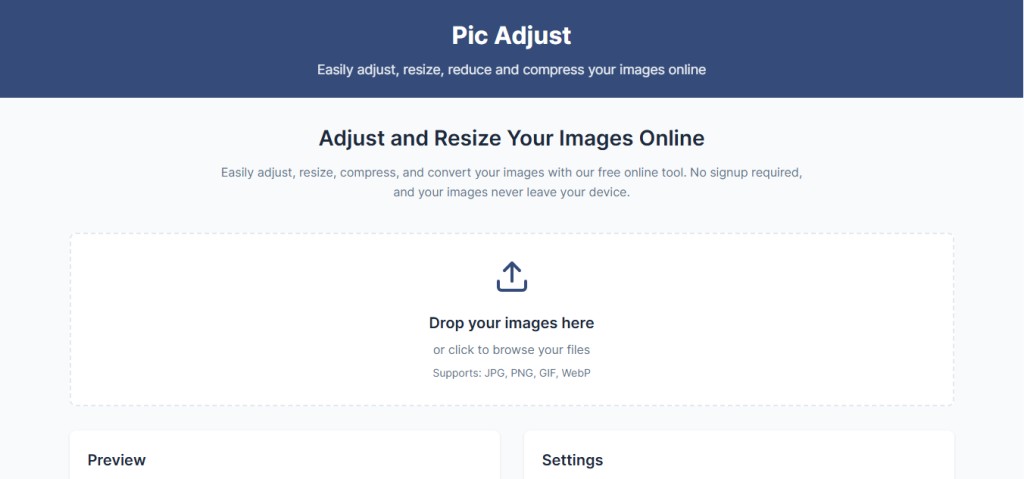
Why Choose PicAdjust?
Pic Adjust is designed for ease of use while providing high-quality results. Below are some of the reasons why it stands out:
- No Software Installation Required – Access the app directly from your browser.
- Fast and Efficient – Process images in seconds.
- Supports Multiple Formats – Easily convert images to JPG, PNG, and WebP.
- User-Friendly Interface – Simple, intuitive, and accessible for everyone.
- Maintains Image Quality – Adjust and compress without losing clarity.
Key Features of PicAdjust
1. Adjust Image Quality Effortlessly
Need to tweak the quality or scale of your images? Pic Adjust provides easy-to-use sliders and settings to fine-tune your pictures to perfection.
2. Image Compression
Large image files slow down websites and take up storage space. With Pic Adjust’s compression feature, you can reduce file sizes by adjusting the easy-to-use sliders. This is perfect for web designers, bloggers, and eCommerce businesses looking to optimize load times.
3. Resize and Scale Images in Seconds
Resize images to fit different screen sizes. Whether for social media, website banners, or presentations, Pic Adjust allows you to resize and scale images in seconds.
4. Convert Images to JPG, PNG, and WebP
Pic Adjust supports seamless image conversion, allowing users to switch between popular formats like JPG, PNG, and WebP. This is ideal for graphic designers and marketers needing flexible image formats.
5. 100% Online and Secure
Your images are processed safely online with no need for downloads or software installations. Pic Adjust ensures data security and privacy at every step as all the processes occur in your browser. Pic Adjust prioritizes user privacy and does not store images after processing.
This post is Sponsored for Pic Adjust
How to Use PicAdjust: A Step-by-Step Guide
Step 1: Upload Your Image
Visit the Pic Adjust website and upload the image you want to edit.
Step 2: Choose Your Editing Options
Select from a range of editing tools:
- Adjust quality settings
- Compress images
- Resize or scale
- Convert formats
Step 3: Apply Changes and Download
Once satisfied with your edits, apply the changes and Download your optimized image instantly.
Who Can Benefit from Pic Adjust?
1. Website Owners
Optimize images for faster loading times, improving SEO rankings and user experience.
2. Social Media Managers
Resize and adjust images to fit various social media platforms before publishing.
3. Graphic Designers
Easily convert and enhance images for different projects.
4. Product Designers
Adjust and compress your product images for use across your digital products.
5. Businesses and E-commerce Owners
Ensure product images are high-quality yet lightweight for seamless online shopping experiences.
Conclusion
Pic Adjust is the go-to online tool for anyone looking to optimize images quickly and effortlessly. With its powerful features, user-friendly interface, and fast processing, it’s the perfect solution for all your image editing needs.