
If WordPress website not loading is a problem you’re facing, you’re not alone, and it could be costing you valuable traffic and conversions.
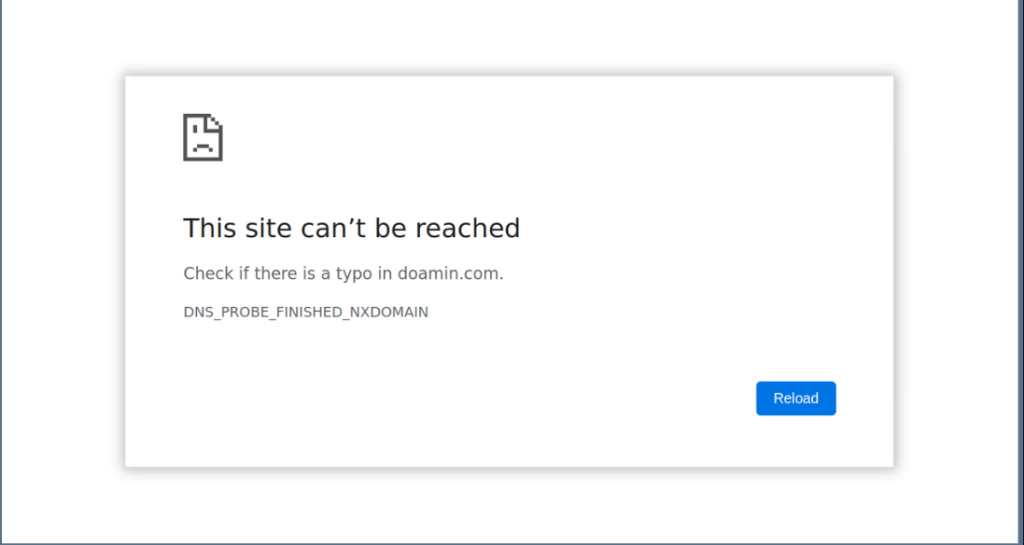
Many website owners have recently discovered that their websites work fine for them but fail to load entirely for users on certain networks. While your site may work fine in your browser, others trying to access it may see messages like “This site can’t be reached” or face long, endless loading screens.
In this article, we’ll explain what causes this problem, how it impacts your website performance, and how you can restore full accessibility, no matter where your users connect.

The Problem: WordPress Website Not Loading on Certain Networks
This issue doesn’t usually come from poor hosting, broken plugins, or your WordPress theme. The real cause lies in how your domain is configured to distribute content globally.
When users are experiencing your WordPress website not loading on specific networks or regions, it’s often due to:
- DNS resolution errors
- Lack of a global delivery mechanism (like a CDN)
- ISP-level blocking or timeouts on unoptimized servers
These network-level failures create inconsistencies that can make your site completely unreachable to a segment of your audience.
What It Looks Like for Your Visitors
Visitors experiencing this issue may:
- See a “site can’t be reached” or “DNS not found” error
- Wait for your page to load endlessly before timing out
- Be able to access the site on Wi-Fi but not mobile data (or vice versa)
- Have no idea what the issue is, and simply leave.
The Business Impact of a Website That Won’t Load
If your WordPress website isn’t accessible to every visitor, here’s what’s at risk:
- Lost traffic from affected networks
- Decreased trust from new users
- Higher bounce rates and poor user engagement
- SEO ranking drops over time due to access failures
You could unknowingly be losing up to 50% of your potential audience, just because your site doesn’t load for them.
How to Know if You’re Affected
You might be experiencing this invisible traffic killer if:
- Users report that your WordPress website is not loading
- You notice a sudden, unexplained traffic drop
- Your website fails to load on certain internet service providers (ISPs)
- Some devices connect fine while others don’t
The Solution: Make Your WordPress Website Accessible Across All Networks
Fortunately, this problem has a solution, and it’s one we’ve successfully implemented for multiple WordPress website owners. While the technical details vary, the fix usually involves:
- Optimizing your DNS configuration
- Adding a Content Delivery Network (CDN) to serve your content across regions
- Improving website response times and availability on all networks
At TuhamWorld CC, we provide professional diagnostics and configuration support to resolve these access issues and future-proof your site.
What You Should Do Now
If you’re running a WordPress website and suspect you’re affected:
- Don’t wait for more visitors to leave.
- Request a website accessibility check from us.
- We’ll analyze your DNS, delivery routes, and network behavior, then implement the right fix to ensure your website loads anytime, anywhere, on any network.
Click here to contact us and secure your website’s availability.
Final Thoughts: A Loading Site is a Growing Site
Your website should work for everyone, not just a fraction of users on specific networks. When a WordPress website is not loading, even partially, it silently hurts your brand, visibility, and conversions.
This issue can be solved quickly and permanently with the right technical setup. Feel free to contact us if you’d like us to fix your WordPress-related website issues.
Also, check out our Importance of Investing in High Quality WordPress Website Care Plans To Manage your website effectively.